動画ガイドVideo guide
来場者の方は、こちらからアプリを入れてください。Visiting the EXPO? Get the app here.
写真のガイドはこちら · Photo guideスマホ・PCのブラウザPhone or PC browser
ブラウザで時間を直すFix your times in a browser
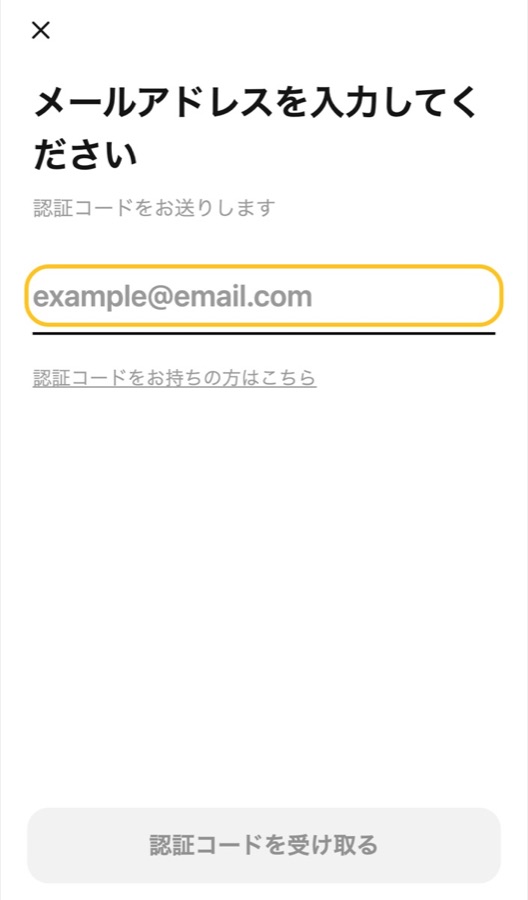
mukojima-expo.limboart.com/editor を開き、参加フォームに入力したメールアドレスを入れて「認証コードを受け取る」を押します。届いたコードを入れるとログインできます。Open the link, enter the email from your entry form and tap 認証コードを受け取る. Enter the code you receive.
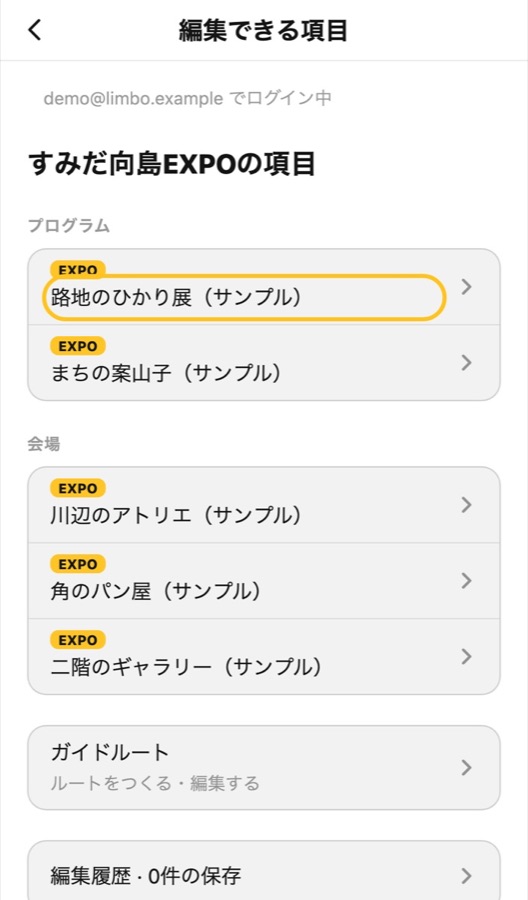
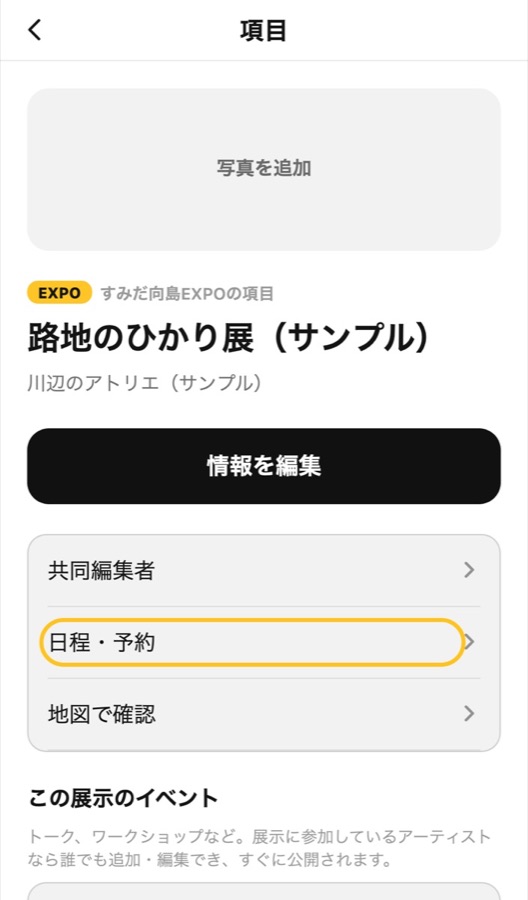
「編集できる項目」で自分のプログラムを開き、「日程・予約」を押します。Open your programme in 編集できる項目, then 日程・予約.
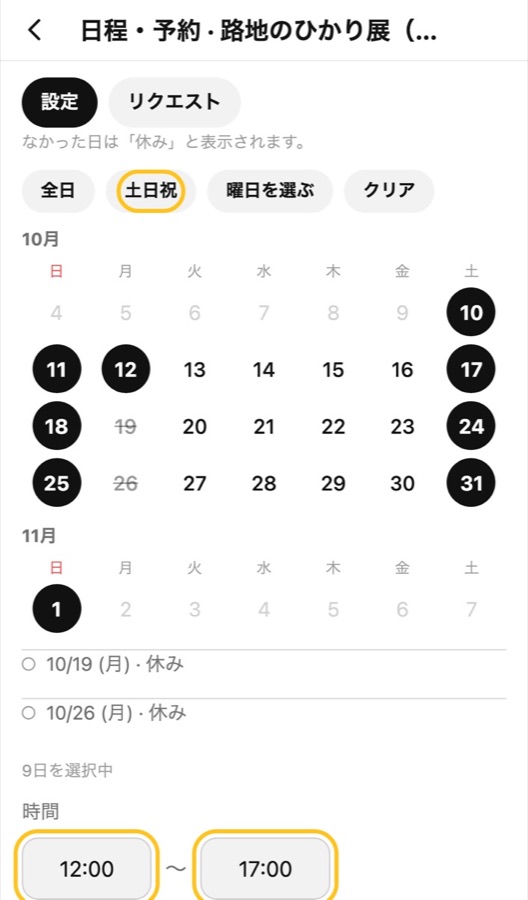
カレンダーで開催日を選び(「全日」「土日祝」でまとめて選べます)、「時間」に開始と終了を入れます。Pick your days (全日 / 土日祝 select many at once) and enter start and end times.
「日程を保存」を押し、「日程を公開しました」と出たら完了です。来場者の地図にすぐ反映されます。Tap 日程を保存. When 日程を公開しました appears, it's live on the visitor map.
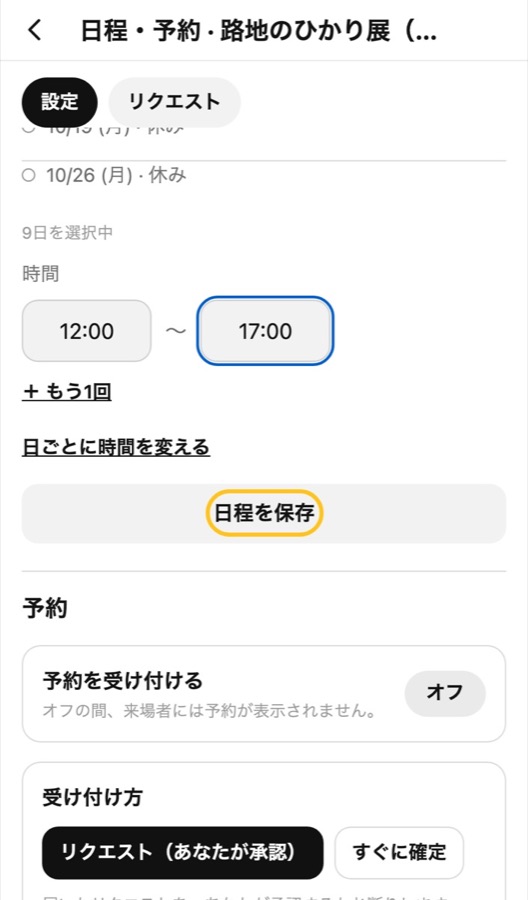
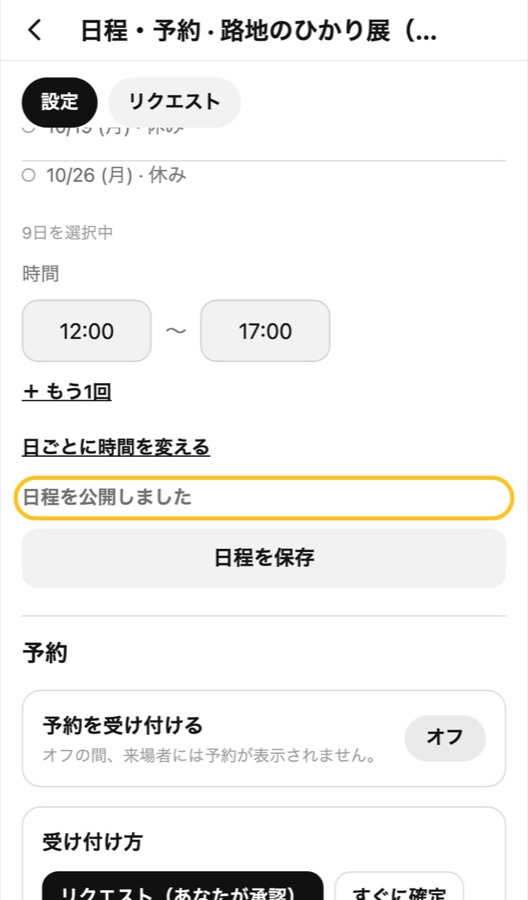
アプリで入力するときは、iPhoneの日程の動画を見てください。Using the app? See the iPhone dates video.
iPhone
プログラムの情報を書きかえるChange your programme's details
LIMBO 1.4.7「編集できる項目」で自分のプログラムを開き、「情報を編集」で書きかえて「公開する」を押します。すぐに反映されます。In 編集できる項目, open your programme, change it in 情報を編集 and tap 公開する. It goes live right away.
iPhoneで日程を入力するEnter your dates on iPhone
LIMBO 1.4.7検索で「向島」へ移動し、ログインして「編集」→「日程・予約」で日と時間を保存します。Search 向島, sign in, then 編集 → 日程・予約: set days and times and save.
Android
今日だけ中止にするCancel just for today
LIMBO 1.4.7自分のプログラムの下にある「臨時の中止」で「今日を中止にする」を押します。来場者の地図に「本日中止」と出ます。取り消すときは「中止を取り消す」を押します。Under 臨時の中止 in your programme, tap 今日を中止にする. Visitors see 本日中止 on the map. To undo, tap 中止を取り消す.
地図に現在地を表示するShow where you are on the map
LIMBO 1.4.7設定で位置情報を「アプリの使用中のみ許可」にしてから、現在地ボタンを押します。反応がなければ、もう一度押してください。Set location to "Allow only while using the app" in Settings, then tap the location button. If nothing happens, tap it again.